Expo and React Native
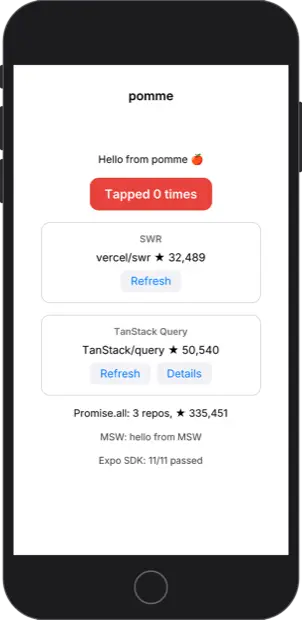
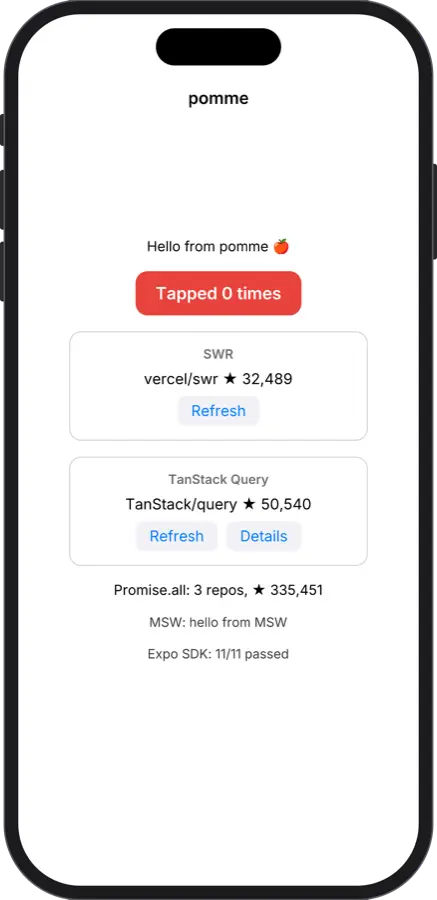
Expo Router, Reanimated, gesture handler, FlatList, TextInput with KeyboardAvoidingView, React Native Skia, and the Expo SDK, checked screen for screen against the iOS Simulator.
An iOS emulator
Pomme runs iPhone and iPad apps on Windows, Linux, macOS and in the browser. It emulates the phone’s arm64 CPU and brings its own versions of iOS’s system libraries, so you don’t need a Mac, Xcode or the Simulator.
Free for macOS, Windows and Linux. All downloads
Features
Pomme runs the same binary you would ship to the App Store, with the frameworks you already use.
Expo Router, Reanimated, gesture handler, FlatList, TextInput with KeyboardAvoidingView, React Native Skia, and the Expo SDK, checked screen for screen against the iOS Simulator.
Impeller draws through pomme’s Metal on your GPU. In our tests the frames match the iOS Simulator to within 3/255 per pixel, apart from the font.
Point a development build at Metro and edit away: Fast Refresh, the dev menu, red error screens and the expo-dev-client launcher work the way they do on a phone.
EAS builds, ad hoc and development builds open directly. Pomme unpacks the .ipa once and caches it, and it doesn’t check signatures.
Find elements by testID or text, then tap, type, swipe and wait, as XCUITest or Maestro do. Time is virtual, so every run is the same, and snapshots restore a booted app in 0.15 s.
Screen sizes, safe areas, keyboards, the notch and Dynamic Island, and iPad size classes, measured against Apple’s own devices.
Run as a phone set to Japanese, Arabic or Hebrew, with right-to-left layouts, ICU formatting, and Chinese, Japanese, Korean, Thai and Arabic text.
The app’s accessibility tree reaches VoiceOver, NVDA, Narrator and Orca, and becomes ARIA in the browser.
Glass views, floating tab bars, bar buttons and bottom accessories, drawn as measured on the iOS 26 Simulator, with the pre-iOS 26 design too.
Faithful rendering
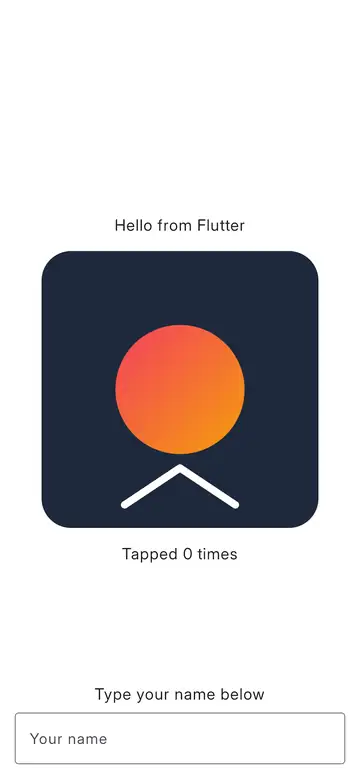
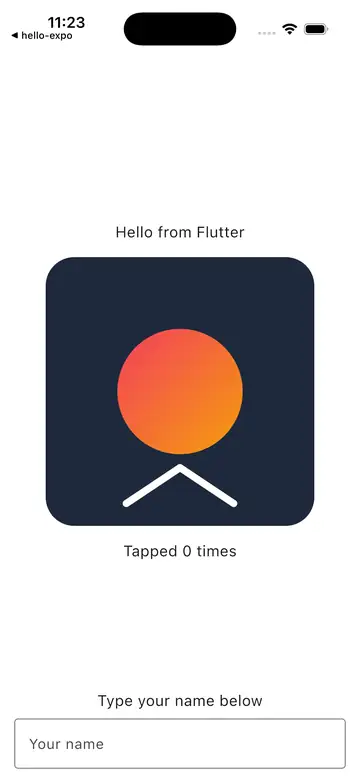
On the left is a Flutter app in pomme, and on the right is the same app in Apple’s iOS Simulator on an iPhone 17. The shapes match exactly and the gradient differs by at most 3/255. The text looks different because pomme uses Inter, since Apple’s SF Pro can’t be redistributed.
How it works
Pomme’s own dyld maps your .app or .ipa and its frameworks into memory and links them.
A user-mode arm64 CPU runs the app, including NEON, atomics and floating point. Time comes from the instruction count, so every run is repeatable.
The Objective-C runtime, UIKit, Foundation and Core Animation are pomme’s own code. The Swift runtime and CoreFoundation are built from Apple’s open-source releases.
Views are composited in software, and Metal is translated to your GPU, through WebGPU when it runs in a browser.
For developers
Script taps and typing, take screenshots, switch devices and languages, and see exactly what your app asks of iOS.
pomme coverageWhich system APIs your app calls, and which ones pomme doesn’t provide yet.--profileA flame chart of your app’s own code for speedscope, deterministic run to run.--views / --elementsThe view hierarchy and accessibility tree, printed when the run stops.--traceSystem calls, Objective-C messages, threads and network traffic.# open the app in a window
pomme run MyApp.ipa --window
# tap, type and take a screenshot
pomme run MyApp.ipa --tap 195,438@3 \
--type 'Ada\n@4' --screenshot out.png
# as an iPhone 17 Pro Max set to Arabic
pomme run MyApp.ipa --device iphone-17-pro-max \
--language ar --region SA
# how much of iOS your app uses
pomme coverage MyApp.ipa --json report.jsonDownload pomme, or try it in your browser first.